- Affected Docker Versions and Environments
- Why docker logs invalid character after object key value pair happens
- Check the Container Name or ID
- Clear the corrupted Docker json-file log
- Restart or recreate the container
- Prevent Docker json-file log corruption with log rotation
- Long-tail searches this fix covers
- FAQ
How to Fix Docker Logs Error: invalid character 'l' after object key:value pair
Environment
- OS Linux
- Stack Docker
- Version 24.x
- Arch Multi-arch
Verification
Procedure verified on by Leo.
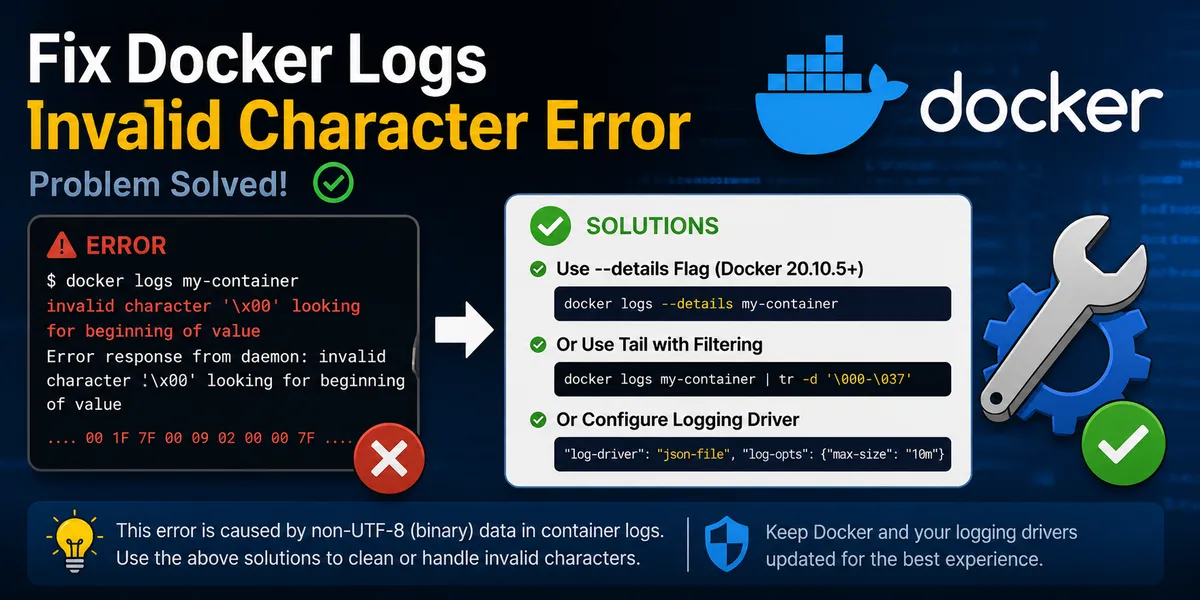
Fix docker logs error "invalid character 'l' after object key:value pair" on Docker Engine 24.x/27.x by clearing corrupted json-file logs and configuring log rotation.
How to Fix Docker Logs Error: invalid character ‘l’ after object key:value pair
When running docker logs or docker compose logs, Docker may fail before printing the container output and show this error:
error from daemon in stream: Error grabbing logs: invalid character 'l' after object key:value pairThis is usually a Docker log reading problem, not an exception thrown directly by your application code. It can happen on Linux Docker hosts and Docker Desktop environments when Docker reads a corrupted json-file container log.
Quick fix: find the container log file with docker inspect, clear the corrupted *-json.log file, then run docker logs again.
Affected Docker Versions and Environments
This issue is not tied to one application framework or image. Similar Error grabbing logs messages have been reported with Docker Engine 24.x and 27.x, and older versions can hit related parsing errors too.
The fix below applies when the container uses Docker’s default json-file logging driver. On Linux, the logging configuration is usually managed through:
/etc/docker/daemon.jsonFor Docker Compose, the symptom is the same because docker compose logs still reads the underlying container log files.
Why docker logs invalid character after object key value pair happens
By default, Docker writes container stdout and stderr to a json-file log. Each log entry should be one valid JSON object per line:
{"log":"...","stream":"stdout","time":"..."}If one of those lines becomes corrupted, Docker can no longer parse the log file. Common causes include:
- A truncated log line
- Broken log rotation
- Interrupted disk writes
- Manual edits to the Docker log file
- Docker daemon issues
- A full or unstable disk
- External
logrotatejobs modifying files under Docker’s container log directory
When Docker reaches the malformed line, docker logs fails while parsing the file and reports the invalid character error.
In most cases, the container is still running normally. The failure happens when Docker tries to parse its own json-file log.
Check the Container Name or ID
First, identify the affected container:
docker ps -aUse the container name or ID in the commands below.
Clear the corrupted Docker json-file log
First, find the log file path for the affected container:
docker inspect -f '{{.LogPath}}' <container_id_or_name>Then truncate the file:
sudo truncate -s 0 "$(docker inspect -f '{{.LogPath}}' <container_id_or_name>)"After that, check the logs again:
docker logs <container_id_or_name>This removes the corrupted Docker log content but keeps the container itself and does not delete application data.
If docker logs -f behaves oddly after truncating a live log file, restart the container so Docker reopens the log file cleanly:
docker restart <container_id_or_name>Restart or recreate the container
If the container state is also abnormal, restart it:
docker restart <container_id_or_name>For Docker Compose, recreating the container is also an option:
docker compose down
docker compose up -d
Be careful with docker compose down: it removes containers, but it does not remove named volumes by default. If important data is stored inside the container filesystem instead of a volume, back it up before recreating the container.
Prevent Docker json-file log corruption with log rotation
To reduce the chance of oversized logs, full disks, and corrupted json-file logs, configure Docker log rotation:
{
  "log-driver": "json-file",
  "log-opts": {
    "max-size": "10m",
    "max-file": "3"
  }
}
This configuration is usually placed in:
/etc/docker/daemon.jsonRestart Docker after changing it:
sudo systemctl restart dockerExisting containers usually need to be recreated before the new logging configuration applies to them.
Avoid using external logrotate rules that truncate files under Docker’s container log directory. Let Docker manage rotation for its own json-file logs.
Long-tail searches this fix covers
This troubleshooting flow applies to errors and searches like:
docker logs invalid character after object key value pairError grabbing logs invalid character ldocker json-file log corrupteddocker compose logs invalid charactertruncate docker container json log
FAQ
Is this caused by my application?
Usually no. The application may have written normal stdout or stderr logs, but Docker fails because the json-file log is corrupted.
Will truncating the log file stop the container?
No. It only clears the stored Docker log file. The running container is not removed.
Does truncating the Docker log delete application data?
No. It only clears Docker’s saved stdout/stderr log file for that container. It does not remove volumes, databases, uploaded files, or files inside the container filesystem.
Can logrotate cause docker logs parsing errors?
Yes. External rotation or truncation of Docker’s internal *-json.log files can cause confusing docker logs behavior. Prefer Docker’s own log-opts settings in daemon.json.
Do existing containers use new Docker log rotation settings immediately?
Usually no. After changing the default logging options in daemon.json, recreate existing containers so they pick up the new settings.